
n8n vs Zapier: Which Automation Tool Should You Actually Use?
A practical comparison of n8n and Zapier, covering ease of use, integrations, workflow complexity, debugging, security, pricing, and when to choose each tool.
Automation tools are becoming the new operating layer for modern teams. They help connect apps, move data, trigger actions, and reduce repetitive manual work.
Two of the most popular tools in this space are Zapier and n8n. At first glance, they look similar: both connect apps, both use triggers and actions, and both help automate workflows.
But once you actually start building, the difference becomes clear:
Zapier is built for simplicity. n8n is built for control.
Zapier is easier, faster, and better for non-technical teams. n8n is more technical, more flexible, and better for complex workflows, AI agents, custom APIs, and self-hosted systems.
Neither is universally better. The right choice depends on what you are building and who will maintain it.
1. The Core Difference
The simplest way to understand the difference is this:
Zapier hides the technical complexity.
n8n exposes the technical structure.
Zapier makes automation feel like filling in a form. You pick an app, choose a trigger, select an action, map the fields, test it, and switch it on. You do not need to understand APIs, JSON, webhooks, headers, or backend logic.
n8n gives you a visual workflow canvas, but it does not hide what is happening underneath. You work with nodes, data structures, webhooks, API calls, custom code, and branching logic.
That makes n8n harder at the beginning, but more powerful once your workflows become complex.
| Tool | Best Description |
|---|---|
| Zapier | No-code automation for business users |
| n8n | Workflow orchestration for technical builders |
Zapier is great when you want to automate something quickly. n8n is better when you want to build something custom and scalable.
2. Ease of Use: Zapier Wins
If you are new to automation, Zapier feels much easier.
For example, imagine a simple workflow:
When someone submits a Google Form, send a Slack message to the team.
In Zapier, the process is guided. You select Google Forms, choose the trigger, connect your account, pick the form, test the trigger, then choose Slack as the action. When inserting data like name, email, or timestamp, Zapier gives you a simple menu of available fields.
n8n can do the same workflow, but the setup may feel more technical. If there is no direct trigger for the exact app, you may need a workaround. For example, instead of triggering directly from Google Forms, you may need to connect the form to Google Sheets first, then trigger the workflow when a new row appears.
When mapping data in n8n, you are also more likely to see the raw data format. That means JSON-like structures, field paths, and outputs from previous steps.
For technical users, this is useful. For beginners, it can feel intimidating.
So the trade-off is simple:
Zapier is smoother. n8n is more transparent.
3. Integrations: Zapier Has More Ready-Made Connectors
One of Zapier’s biggest strengths is its huge library of app integrations.
If you use common SaaS tools like Slack, Gmail, Google Sheets, Notion, HubSpot, Stripe, Airtable, Typeform, Mailchimp, Shopify, or Salesforce, there is a strong chance Zapier already has a ready-made connector.
That matters because native connectors remove a lot of technical work. You do not need to read API documentation, create webhooks manually, configure authentication headers, or format JSON request bodies.
New purchase in one platform → update subscriber in another platform.
In Zapier, if both platforms have native integrations, this can be simple: choose the trigger, choose the action, map the customer email and purchase fields, then test.
In n8n, if native nodes do not exist, you may need to build the integration manually using webhooks and HTTP requests. That could mean setting up API keys, bearer tokens, headers, request bodies, and error handling.
This is where the difference becomes practical:
Zapier has better integration coverage.
n8n has better integration flexibility.
Zapier gives you more ready-made doors. n8n gives you the tools to build your own door.
4. Workflow Complexity: n8n Has a Higher Ceiling
Zapier is excellent for simple, linear workflows.
For example:
New form response → Send Slack alert → Add row to Google Sheets.
This is exactly where Zapier shines.
But more advanced workflows do not always move in a straight line. They may need branching, loops, data cleaning, API calls, AI prompts, validation, and human review.
For example:
Pull articles → remove duplicates → classify relevance → summarize → generate draft → format content → create CMS entry → notify reviewer.This is no longer just automation. This is workflow orchestration.
n8n is better suited for this because its canvas lets you build workflows like a system map. You can split paths, inspect data at each step, add custom code, and control how different services interact.
This becomes especially important for AI workflows. AI agents often need to read information, call tools, make decisions, transform data, validate output, and pass results into another system.
Zapier can support AI features too, but n8n gives more granular control when the workflow becomes serious.
Zapier is great for automation. n8n is stronger for orchestration.
5. Data Visibility and Debugging
Zapier makes workflows easy partly because it hides the underlying structure. That is great when everything works.
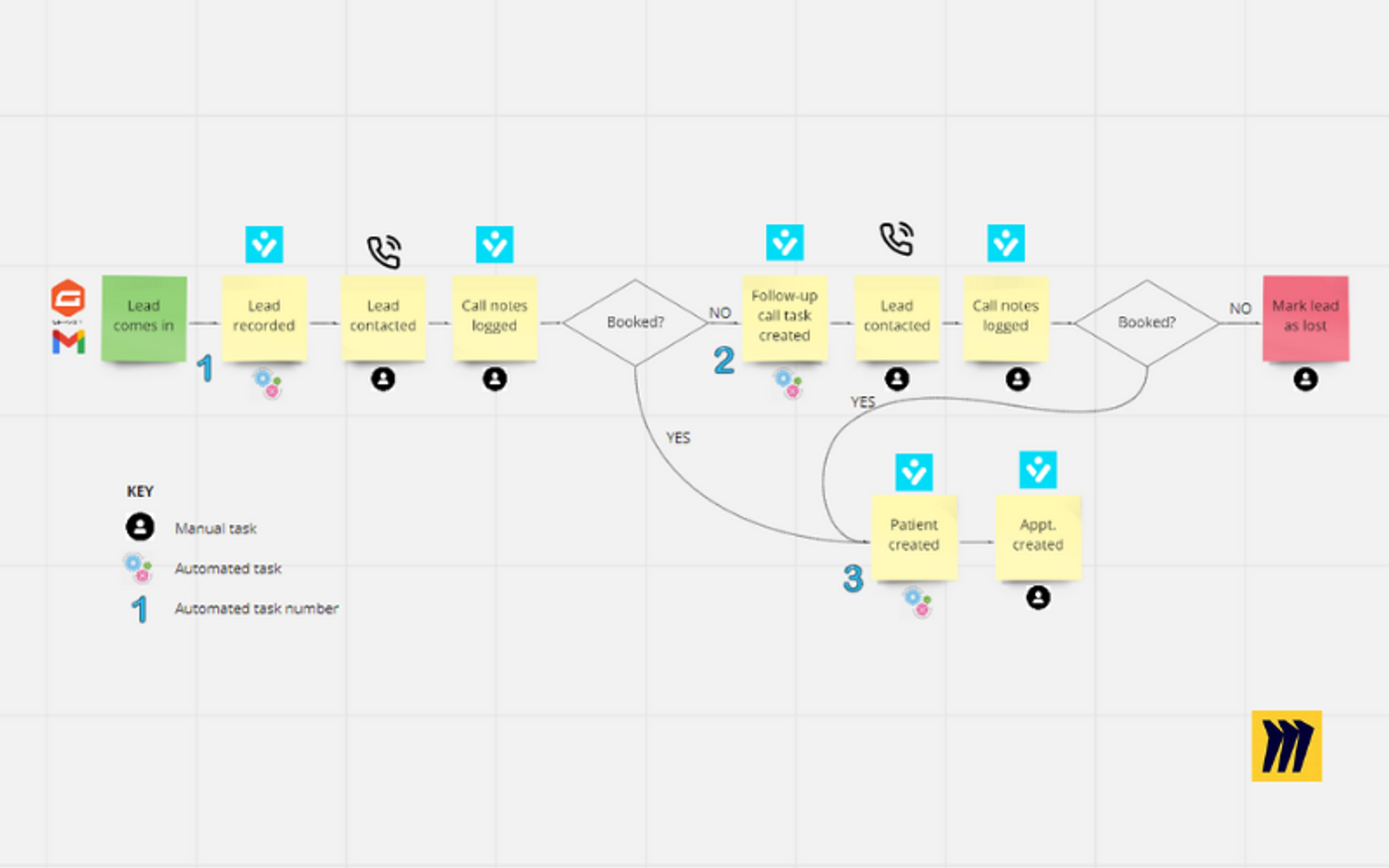
But when something breaks, the abstraction can become limiting. If a field is missing, an app sends unexpected data, or the workflow fails at a specific step, debugging can be frustrating.
n8n gives more visibility. You can inspect the data flowing through each node, see outputs step by step, and understand how information changes throughout the workflow.
This is especially useful when working with APIs, AI-generated content, or structured data.
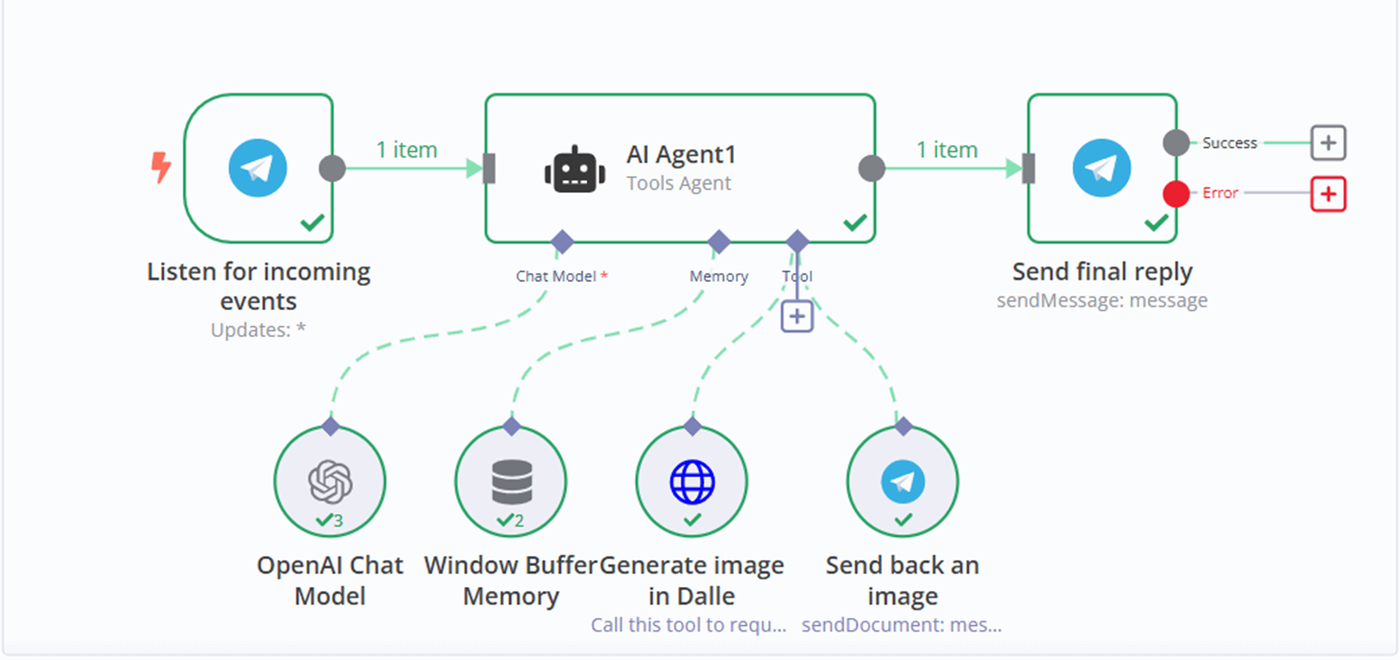
For example, if an AI model generates content that needs to be converted into a CMS-ready format, you need to see whether the structure is valid before sending it to the CMS. n8n gives you more control over that messy middle.
| Question | Better Tool |
|---|---|
| Do I want the easiest setup? | Zapier |
| Do I want to inspect each data step? | n8n |
| Do I want fewer technical details? | Zapier |
| Do I need to debug complex logic? | n8n |
6. Security and Operations: The Overlooked Trade-Off
A lot of people say n8n is better because it can be self-hosted. That is true, but it is only half the story.
Self-hosting gives you more control. You can decide where workflows run, how credentials are stored, and how data moves. This can matter for privacy-sensitive workflows or companies that want stronger control over infrastructure.
But self-hosting also creates responsibility. If you self-host n8n, you may need to manage hosting, updates, monitoring, backups, access control, credential security, and failed workflows.
Zapier is fully managed. It handles the platform infrastructure, security controls, uptime, and maintenance. For non-technical teams, this can be safer operationally because they do not need to manage backend systems themselves.
So the better question is not:
Is self-hosting safer?
The better question is:
Do we have the technical ability to manage self-hosting safely?
If yes, n8n can offer stronger control. If no, Zapier may be the safer operational choice.
More control is only useful if someone knows how to manage it.
7. Cost and Scalability
At low volume, both tools can be affordable. The difference matters more as workflows scale.
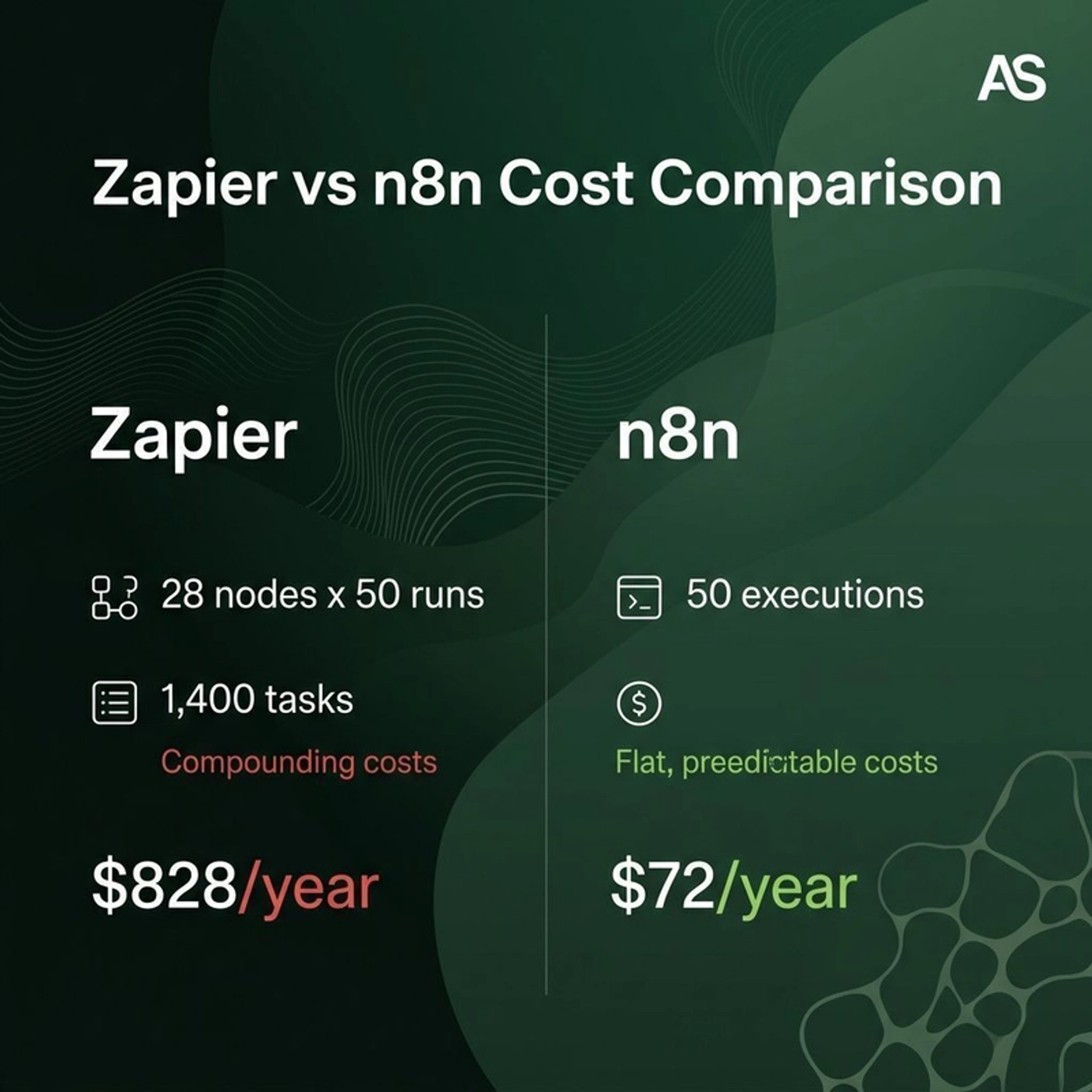
Zapier’s pricing is usually tied to tasks. As workflows become more frequent or multi-step, costs can rise quickly.
n8n can be more cost-effective at scale, especially if self-hosted. But lower software cost may come with higher maintenance cost.
So the real question is not only:
Which subscription is cheaper?
It is:
Which tool gives the best balance between cost, complexity, flexibility, and maintenance?
For simple workflows, Zapier may be worth the cost because it saves time. For complex technical workflows, n8n may offer better long-term scalability.
8. Scoring Comparison
| Category | Zapier | n8n | Winner |
|---|---|---|---|
| Ease of use | 9/10 | 6/10 | Zapier |
| Beginner friendliness | 10/10 | 5/10 | Zapier |
| Native app integrations | 10/10 | 7/10 | Zapier |
| Custom API flexibility | 6/10 | 9/10 | n8n |
| Complex workflow logic | 6/10 | 9/10 | n8n |
| AI workflow orchestration | 7/10 | 9/10 | n8n |
| Data visibility and debugging | 6/10 | 9/10 | n8n |
| Self-hosting and control | 3/10 | 10/10 | n8n |
| Managed infrastructure | 9/10 | 6/10 | Zapier |
| Scalability for custom systems | 7/10 | 9/10 | n8n |
9. Best Use Cases for Zapier
Zapier is the better choice when the workflow is simple, common, and managed by non-technical users.
It works especially well for:
| Use Case | Example |
|---|---|
| Lead capture | New Typeform response → Add to CRM |
| Notifications | New payment → Send Slack alert |
| CRM updates | New Calendly booking → Create HubSpot contact |
| Email marketing | New subscriber → Add to Mailchimp list |
| Spreadsheet sync | New order → Add row to Google Sheets |
| Basic task automation | New email attachment → Save to Google Drive |
Choose Zapier if you want speed, reliability, and fewer technical decisions.
10. Best Use Cases for n8n
n8n is the better choice when the workflow is complex, custom, technical, or AI-heavy.
It works especially well for:
| Use Case | Example |
|---|---|
| AI content workflows | Research → Summarize → Draft → Format → Review |
| Internal tools | Connect custom databases, APIs, and business systems |
| Data transformation | Clean and restructure data between systems |
| API orchestration | Call multiple services in a controlled sequence |
| Self-hosted workflows | Keep automation infrastructure under your control |
| Complex branching | Route different cases through different workflow paths |
| AI agents | Give AI access to tools, memory, APIs, and actions |
Choose n8n if you need control, customization, and deeper technical flexibility.
11. The Real Difference: Automation vs Workflow Infrastructure
The deeper distinction is this:
Zapier helps you automate tasks.
n8n helps you build workflow infrastructure.
Zapier is excellent when your goal is to save time on repetitive business tasks.
n8n is stronger when your goal is to design a custom system that coordinates tools, data, APIs, AI models, and human review.
This matters even more in the age of AI agents.
A basic automation might move data from one app to another. An AI agent workflow may need to read information, understand context, decide what matters, call tools, transform data, validate output, ask for human approval, and save the final version somewhere.
That is not just automation anymore. That is orchestration.
And for orchestration, n8n has a much higher ceiling.
12. Final Verdict
Zapier and n8n are both powerful, but they are not built for the same type of user.
Zapier is best for simple automation.
It is fast, polished, beginner-friendly, and ideal for teams that want to connect common apps without technical complexity.
n8n is best for workflow orchestration.
It is more technical, but gives deeper control over logic, data, APIs, AI workflows, and infrastructure.
The simplest way to decide is:
Use Zapier when speed and simplicity matter most. Use n8n when flexibility and control matter most.
If you are only connecting apps, Zapier may be enough.
If you are building an advanced internal system involving AI, custom APIs, structured data, or human review, n8n is likely the stronger long-term foundation.