
AI Agent 101: Let's Build Your First Practical AI Agent
A beginner-friendly guide to building useful AI agents by defining roles, tools, skills, memory, and feedback loops before touching any custom server or code.

AI Agent 101: The Beginner Way to Build a Useful Agent Without Coding
The easiest way to start building an AI agent is not to create your own server, API, or complex automation system. That is already advanced mode.
The easiest way is to use the apps ChatGPT or Claude can already connect to — like Notion, Gmail, Calendar, Google Drive, Slack, GitHub, or other built-in connectors — and then give the AI a very clear role, skills, rules, and memory.
A simple beginner formula is:
AI Agent = AI model + connected apps + role + skills + memory + feedbackA chatbot mainly answers questions. An agent helps complete tasks.
For example, once it has access to the right apps, an agent can help you summarise emails, draft replies, organise research notes, create meeting reminders, prepare meeting briefs, search documents, and turn messy notes into structured outputs.
But the agent will only be as useful as the instructions you give it.
This is why I like using a simple .md file — basically a Markdown document — as the agent’s skills file. It acts like the agent’s operating manual. Instead of repeating the same instructions every time, you can write down the agent’s role, skills, tone, workflow, and boundaries once, then keep updating it as the agent improves.
The most important part is not the tool. The most important part is the agent design.
Okay now let’s get started, using ChatGPT as our tool example, but feel free to use Claude or Perplexity or whatever you have on hand. At this beginning level, the tool and framework is quite straightforward and very easy to detect within each platform. :)
1. Start by giving the agent a clear identity
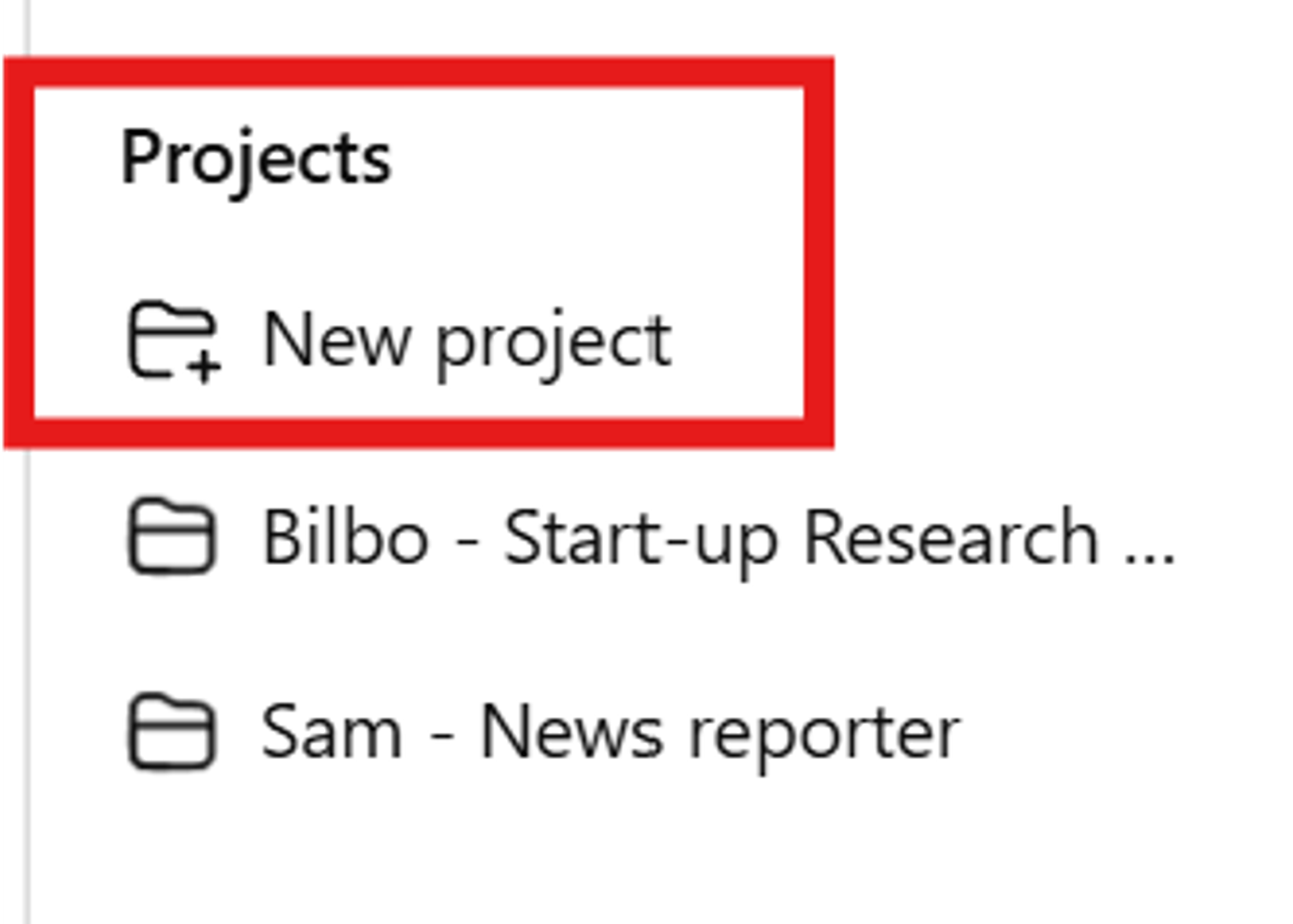
Before defining tools or workflows, give your agent a simple identity.
Use this format:
Name:
Role:
Mission:
Target user:
Main outcome:
Example:
Name: Scout
Role: Startup research assistant
Mission: Help me understand startups, AI, and VC trends without information overload.
Target user: Me, a beginner-to-intermediate startup/VC learner.
Main outcome: Give me clean, ranked, source-backed research that helps me decide what is worth reading, tracking, or writing about.
A vague agent gives vague output.
Bad version:
Help me with startup news.
Better version:
You are Scout, my startup research assistant. Your job is to read the sources I provide, identify important AI/startup/VC signals, rank them by relevance, explain why they matter, and suggest which ones are worth turning into blog posts. You should not invent facts, and you should clearly flag missing or inaccessible sources.The second version already gives the agent identity, scope, task, quality standard, safety rules, and output expectations. That is the beginning of an actual agent.
2. Define what the agent is allowed to access
If your agent can connect to apps, define exactly what it should use each app for.
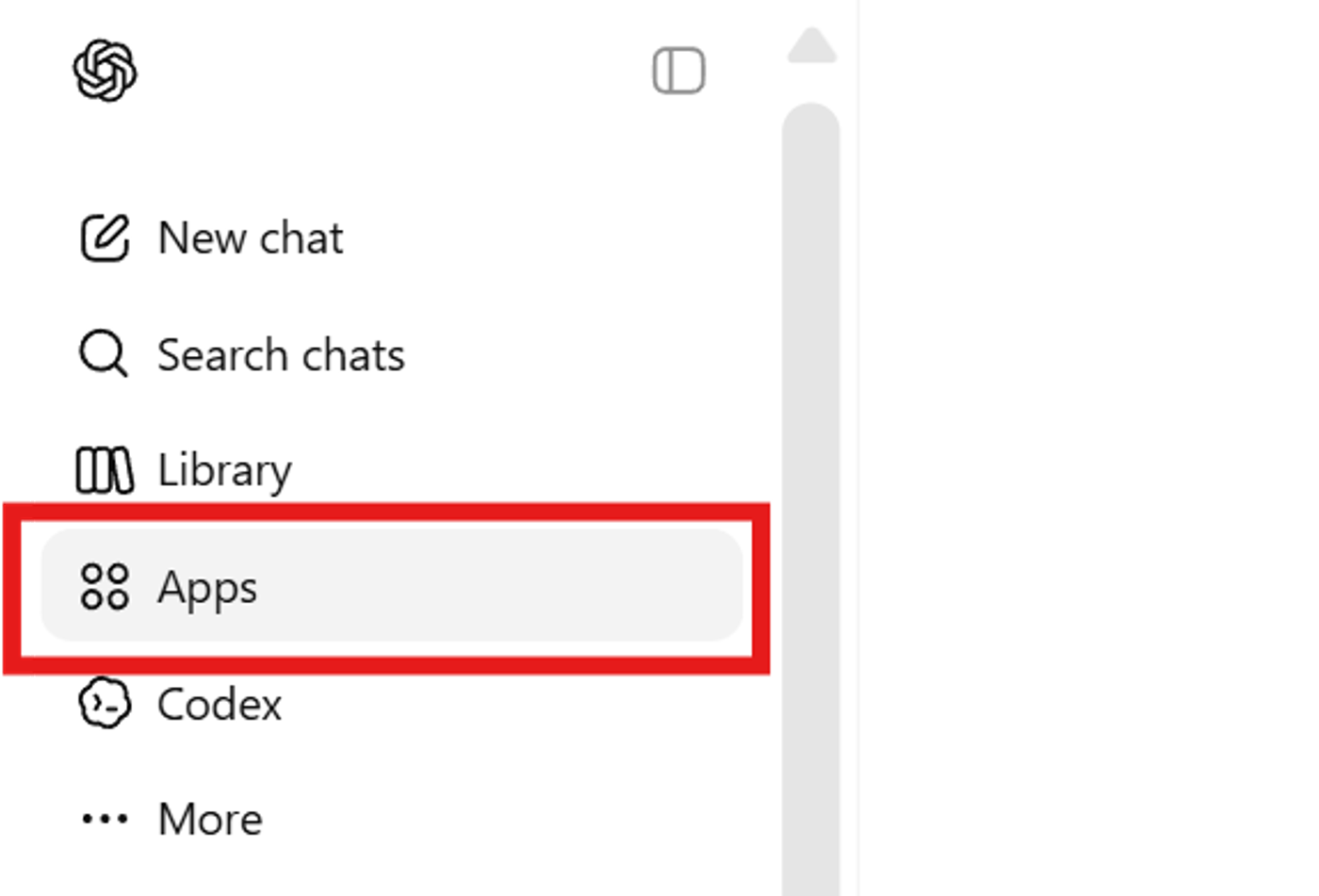
Example:
Notion: Read saved article links, research notes, reading lists, and topic databases.
Gmail: Summarise relevant email threads and draft replies, but do not send emails without approval.
Calendar: Create reminders and help summarise the schedule, but do not move meetings without approval.
Google Drive: Search documents and extract relevant information.
CMS: Create draft content only. Never publish automatically.
This matters because app access can become messy. If the agent can access everything but does not know why, it may use the wrong tool or overreach.
A good rule:
Access should be broad enough to help, but narrow enough to stay safe.For beginner agents, start with low-risk actions: read, summarise, draft, organise, classify, suggest, create reminders, and create drafts.
Be careful with high-risk actions: sending emails, deleting files, publishing posts, changing live data, making payments, or messaging people automatically.
A beginner agent should usually ask for confirmation before doing anything external or irreversible.
3. Define skills like mini operating procedures
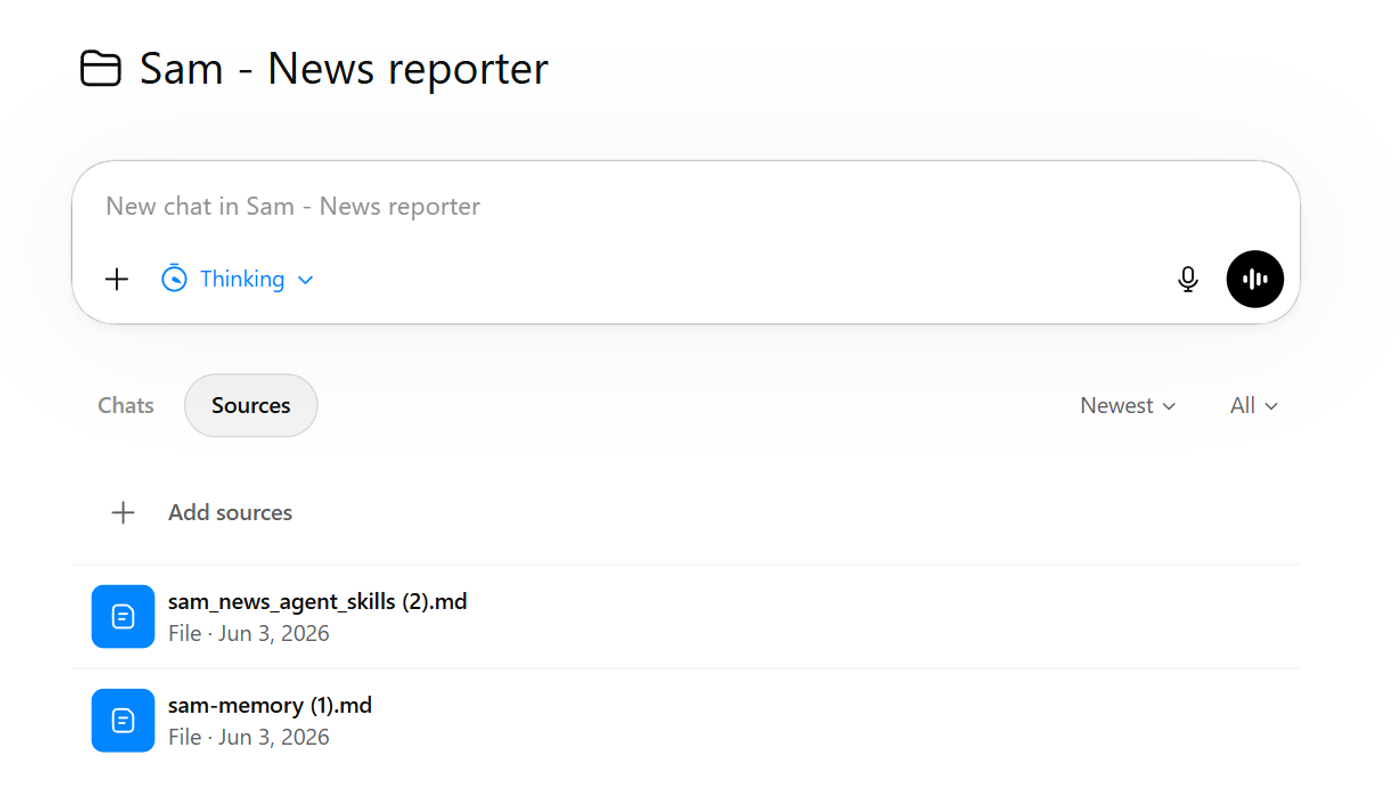
This is the most important part.
A skill is not just a vague ability like:
write articles
A skill should be written like a mini workflow.
Use this structure:
Skill name:
Purpose:
When to use:
Input needed:
Steps:
Output format:
Rules:
What not to do:
This is what makes an agent consistent.
For example, instead of saying:
Help me with emails.
You define exactly what “help” means.
4. Example skill: Email assistant
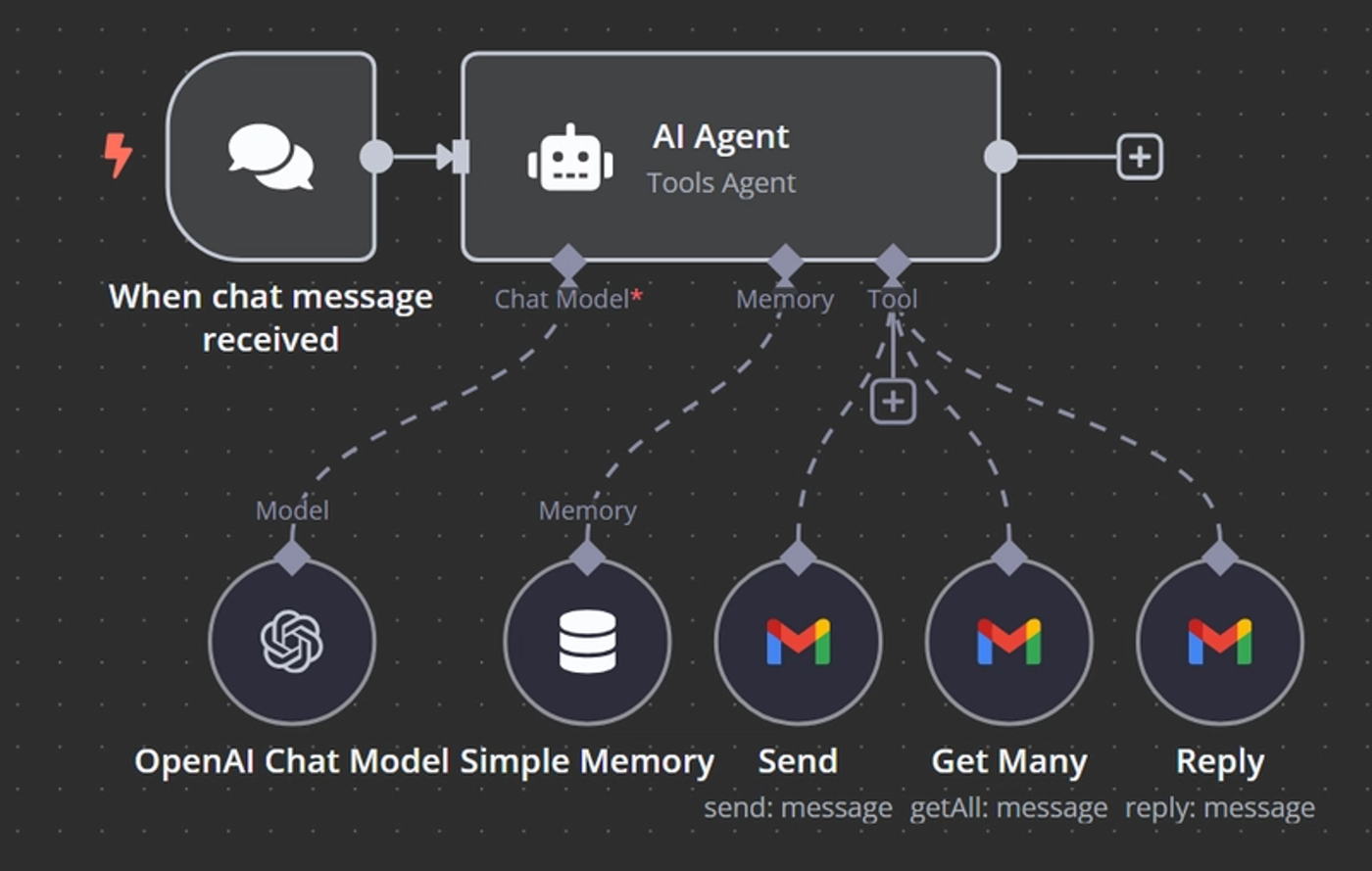
For an email agent, don’t just say “help with email.” That is too vague.
## Skill: Email Triage

### Purpose
Help me understand and respond to important emails faster.

### When to use
Use this when I ask:
- “summarise my inbox”
- “find important emails”
- “draft a reply”
- “what do I need to respond to today?”

### Steps
1. Search relevant emails based on my request.
2. Summarise the email thread.
3. Identify the sender, topic, deadline, and action required.
4. Classify urgency:
   - urgent
   - important but not urgent
   - informational
   - can ignore/archive
5. If I ask for a reply, draft one in my tone.

### Rules
- Never send an email without my explicit approval.
- Do not over-apologise in replies.
- Keep replies natural, concise, and professional.
- If the email involves legal, financial, or sensitive matters, flag that I should review carefully.

### Output format
- Summary
- Required action
- Suggested reply
- Tone notes
That turns the agent from “email summariser” into a real assistant.
5. Example skill: Calendar/reminder assistant
For a calendar agent, the key is clarity. Time, date, timezone, and permission matter.
## Skill: Meeting Reminder

### Purpose
Help me remember meetings, deadlines, and follow-ups.

### When to use
Use this when I ask:
- “remind me”
- “add this to calendar”
- “prepare me for this meeting”
- “what do I have today?”

### Steps
1. Identify the task, date, time, and timezone.
2. Ask for clarification if the time/date is ambiguous.
3. Create a calendar reminder or event if I approve.
4. If it is a meeting, summarise preparation notes if available.

### Rules
- Do not create calendar events with unclear time.
- Do not invite other people unless I explicitly ask.
- Do not move or delete existing meetings without confirmation.

### Output format
- Reminder/event created
- Date and time
- Preparation notes, if relevant
Again, the key is specificity. The more clearly you define the workflow, the less the agent has to guess.
6. The more specific the skills, the better the agent
A lot of people think an advanced agent means a bigger model or more tools.
Actually, a more useful agent often means better instructions.
Vague instruction:
Write in my style.
Better instruction:
Write in a natural, beginner-friendly, slightly quirky but professional tone. Avoid corporate fluff. Use short paragraphs. Explain technical terms clearly. Use bold only for genuinely important phrases. Do not overuse bullet points. Keep articles under 500 words unless I ask for a deep dive.Vague instruction:
Find important news.
Better instruction:
Prioritise AI agents, VC funding rounds, European startups, healthtech AI, fintech, legaltech, deep tech, spacetech, and infrastructure startups. Rank news by novelty, investor relevance, strategic importance, and blog-worthiness. Ignore generic product updates unless they signal a broader market shift.Vague instruction:
Create a draft.
Better instruction:
Create a draft only. Do not publish. Use title, slug, excerpt, category, tags, SEO title, SEO description, and Markdown body. If any field is missing, create a reasonable draft value but tell me what you assumed.This is how you make an agent feel smarter: not by saying “be smarter,” but by defining what good looks like.
7. Add “do not do” rules
This is underrated.
Agents need boundaries.
For every skill, define what the agent should do, what the agent should not do, and when the agent should ask first.
Examples:
## Global Safety Rules

- Do not publish content automatically.
- Do not send emails without explicit approval.
- Do not delete files, posts, emails, or database items.
- Do not overwrite existing content unless I explicitly ask.
- Do not invent sources, funding amounts, investors, dates, or quotes.
- Do not claim to have read a source if it was inaccessible.
- If information is missing, say what is missing.
- If a task is ambiguous, ask a short clarification question.
These rules make the agent safer and easier to trust.
A useful beginner principle:
The agent can prepare, organise, draft, and suggest. The human should approve before anything goes live or leaves the system.8. Define output formats
Agents become much more useful when you tell them exactly how to return information.
For research:
## Output Format: Startup Research Brief

# [Company Name]

## One-Line Summary
...

## What It Does
...

## Why It Matters
...

## Public Signals
...

## Risks / Unknowns
...

## Questions I Would Ask
...

## Blog-Worthiness
Score: X/5

## Sources
...
For email:
## Output Format: Email Summary

- Sender:
- Topic:
- Urgency:
- Summary:
- Required action:
- Suggested reply:
`

For meeting prep:

`markdown
## Output Format: Meeting Prep Brief

- Meeting:
- Attendees:
- Context:
- Key talking points:
- Questions to ask:
- Decisions needed:
- Follow-up actions:
Without output formats, the agent may respond differently every time. With formats, it becomes repeatable.
9. Add memory — but make it practical
Memory is how your agent improves over time.
But memory should not be random. Don’t save everything.
Save things that improve future outputs: tone preferences, formatting rules, source preferences, workflow rules, recurring mistakes, what good output looks like, and what to avoid.
Examples of useful memory:
User prefers concise, natural, beginner-friendly writing with a slightly quirky but professional tone.

User dislikes generic VC buzzwords unless explained clearly.

For blog drafts, user wants Markdown with headings, bold text where useful, and source links.

User wants the CMS agent to create drafts only and never publish.

User prefers ranked summaries before long explanations.
Examples of bad memory:
User asked about one random

User used the word “robot” once.

User was annoyed at 3:42pm.
Good memory should make future work better. It should not become a dumping ground.
10. Treat memory as an evolving manual, not magic training
You are not really training the base model like OpenAI trains GPT.
You are training your personal agent behaviour through instructions, examples, feedback, memory, and skill files.
A good agent-improvement loop looks like this:
1. Use the agent.
2. Review output.
3. Identify what was wrong.
4. Give specific feedback.
5. Save the feedback into memory or skills.
6. Test again.
Bad feedback:
This is bad.
Useful feedback:
This is too long and too generic. Next time, give me a ranked list first, then only expand the top 5. Keep each item under 80 words and include why it matters.Even better:
Update your research skill: when summarising sources, do not write full paragraphs immediately. First produce a ranked list with source, category, and priority. Only expand after I choose.That is how the agent improves.
11. Use thumbs up/down, but explain why
Thumbs up/down helps, but it is not enough.
A thumbs down says:
bad
Detailed feedback says:
bad because the article was too corporate, too long, and did not explain the technical term clearlyA good feedback format:
What I liked:
What I didn’t like:
What to change next time:
Should this be saved as a rule?
Example:
What I liked: The explanation was clear.
What I didn’t like: The tone was too formal and the paragraphs were too long.
What to change next time: Use shorter paragraphs, more beginner-friendly examples, and less corporate language.
Save as rule: Yes — apply this to all beginner explainer articles.
This makes the agent better in a concrete way.
12. Start with one agent, one job
The beginner mistake is trying to build one agent that does everything:
read news, write articles, send emails, manage calendar, update CMS, rank startups, post on social mediaThat sounds exciting, but it becomes chaotic.
A better setup:
One agent = one core job
Examples:
Scout = research agent
Writer = writing agent
Sam = CMS agent
Scheduler = calendar/reminder agent
Inbox = email assistant
Each agent should have one mission, clear tools, specific skills, and clear boundaries.
This is easier to debug and safer.
The cleaner your agent structure is, the easier it is to understand where things go wrong.
13. Skill-definition checklist
When creating a skill, ask:
What task should this skill handle?
When should the agent use it?
What input does it need?
What apps/tools may it use?
What steps should it follow?
What should the output look like?
What should it never do?
When should it ask for approval?
What should it remember after the task?
How will I know if it did well?
A strong skill definition usually includes trigger, workflow, inputs, outputs, rules, failure handling, and examples.
## Skill: Create Meeting Prep Brief

### Trigger
Use when I ask “prepare me for this meeting.”

### Input
- calendar event
- attendees
- related emails/docs if available
- meeting objective

### Steps
1. Identify meeting topic and attendees.
2. Search related notes/emails/docs.
3. Summarise background.
4. List key discussion points.
5. Suggest questions I should ask.
6. Highlight decisions needed.

### Output
- Meeting objective
- Background summary
- Key people
- Talking points
- Questions to ask
- Follow-up actions

### Rules
- Do not invent context if documents are missing.
- Clearly separate known information from assumptions.
This is the difference between a toy agent and a useful agent.
Final takeaway
The easiest way to build an AI agent is not to code a complicated backend.
Start with:
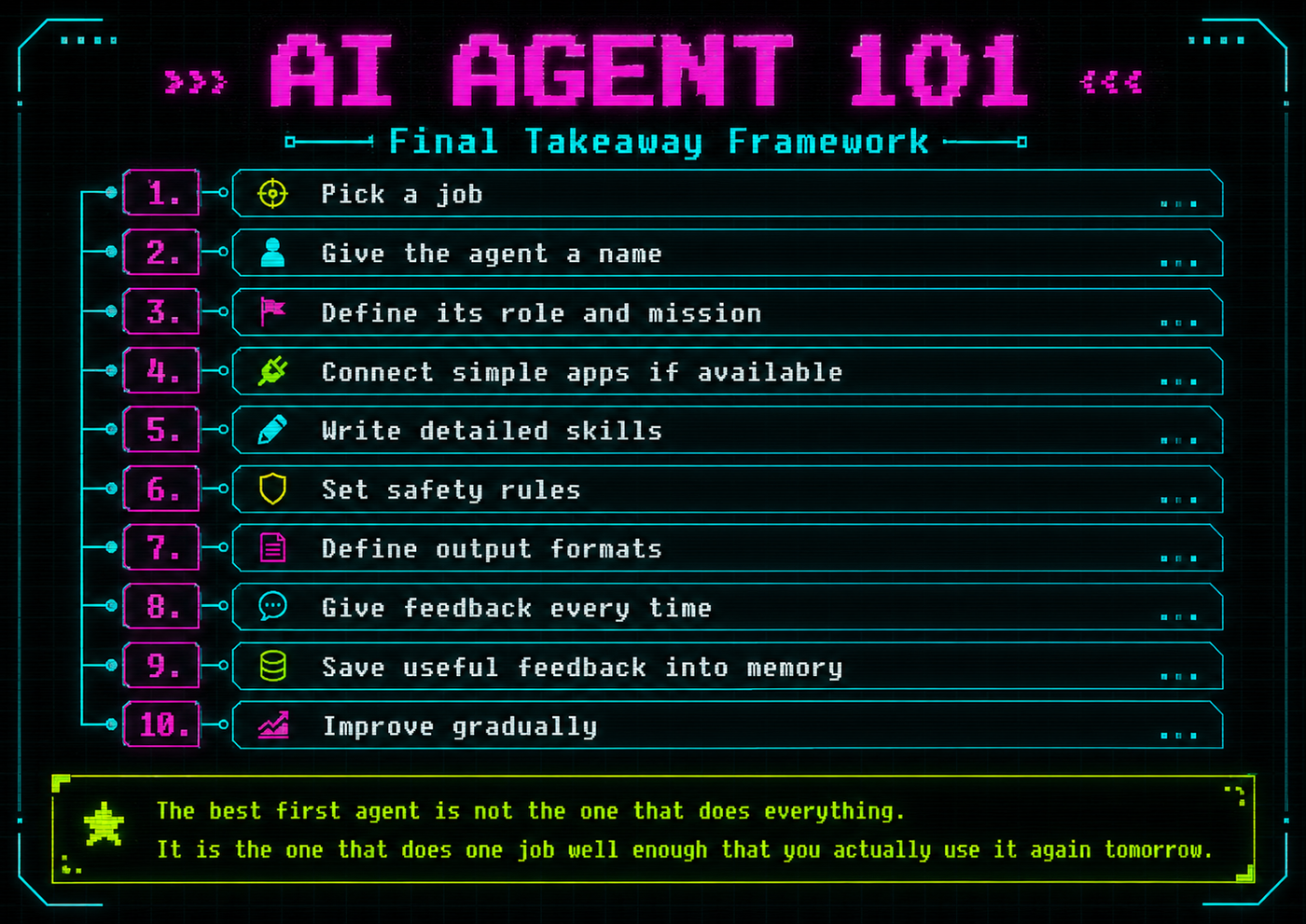
A beginner agent does not need to be autonomous. It needs to be clear, reliable, and useful.
The best first agent is not the one that does everything.
It is the one that does one job well enough that you actually use it again tomorrow.